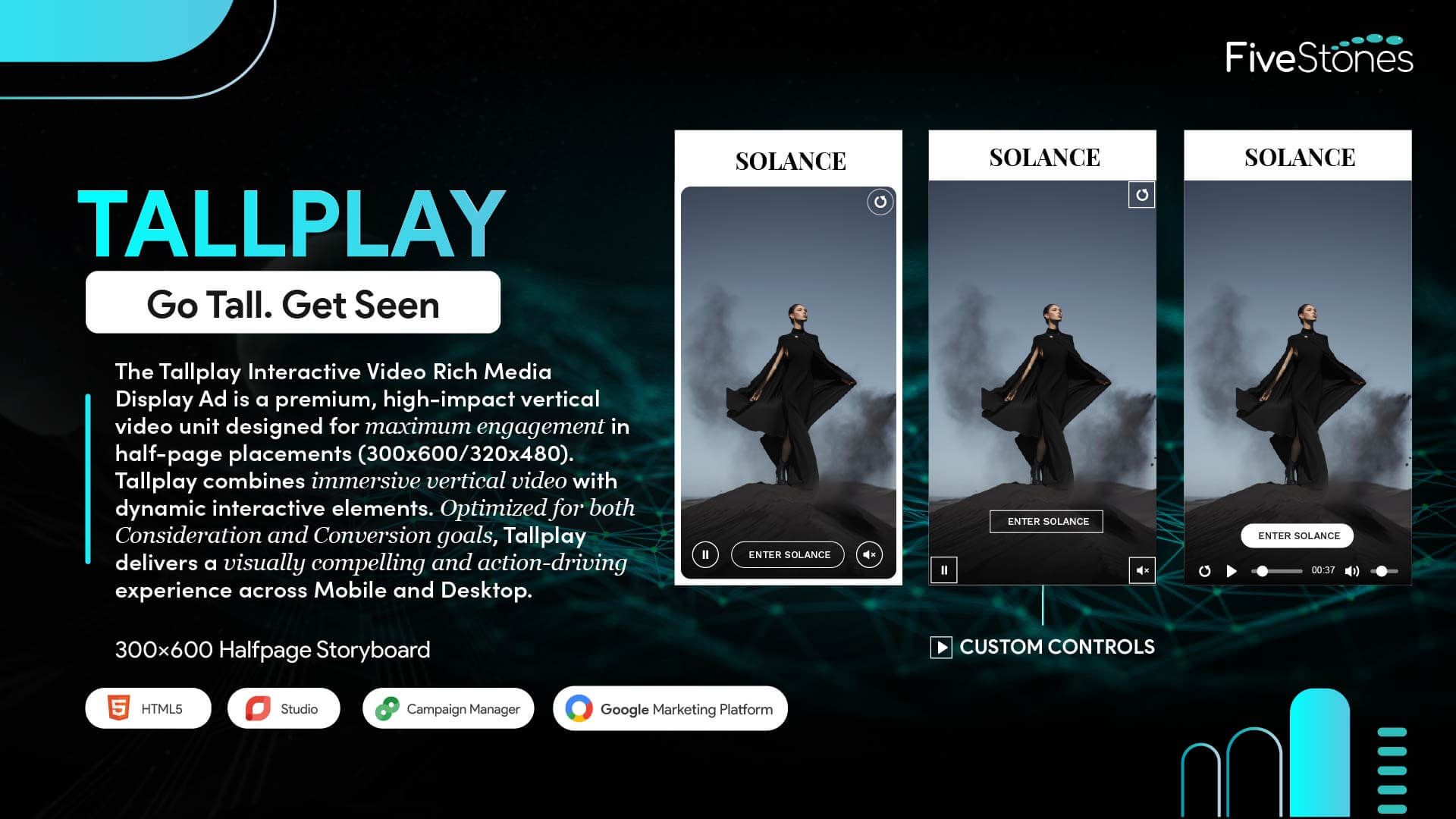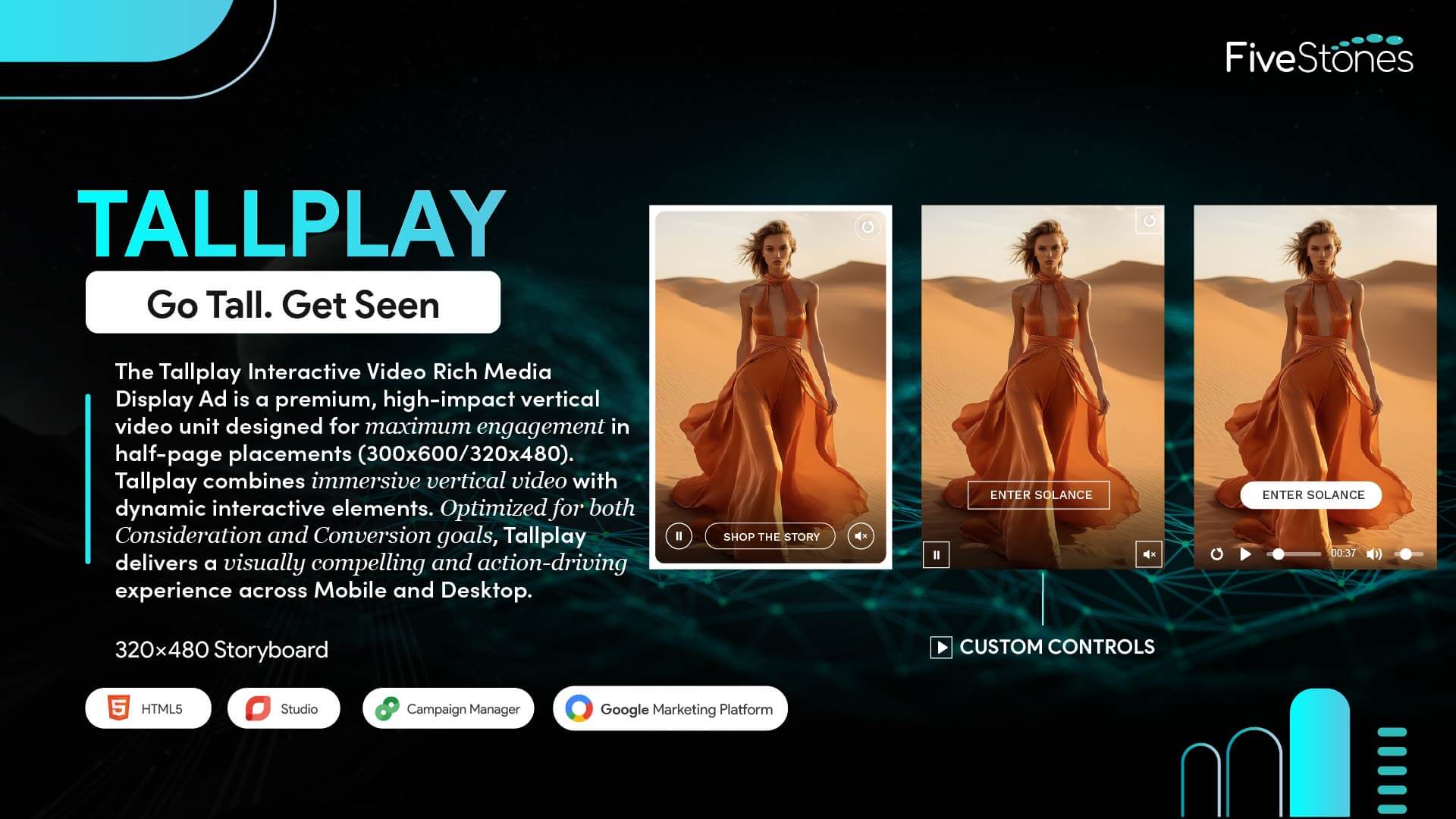




Best for: Consideration, Conversion
Sizes: 300x600, 320x480
Devices: Mobile Web, Desktop
Platform: Studio, CM360
Ad Type: Rich Media
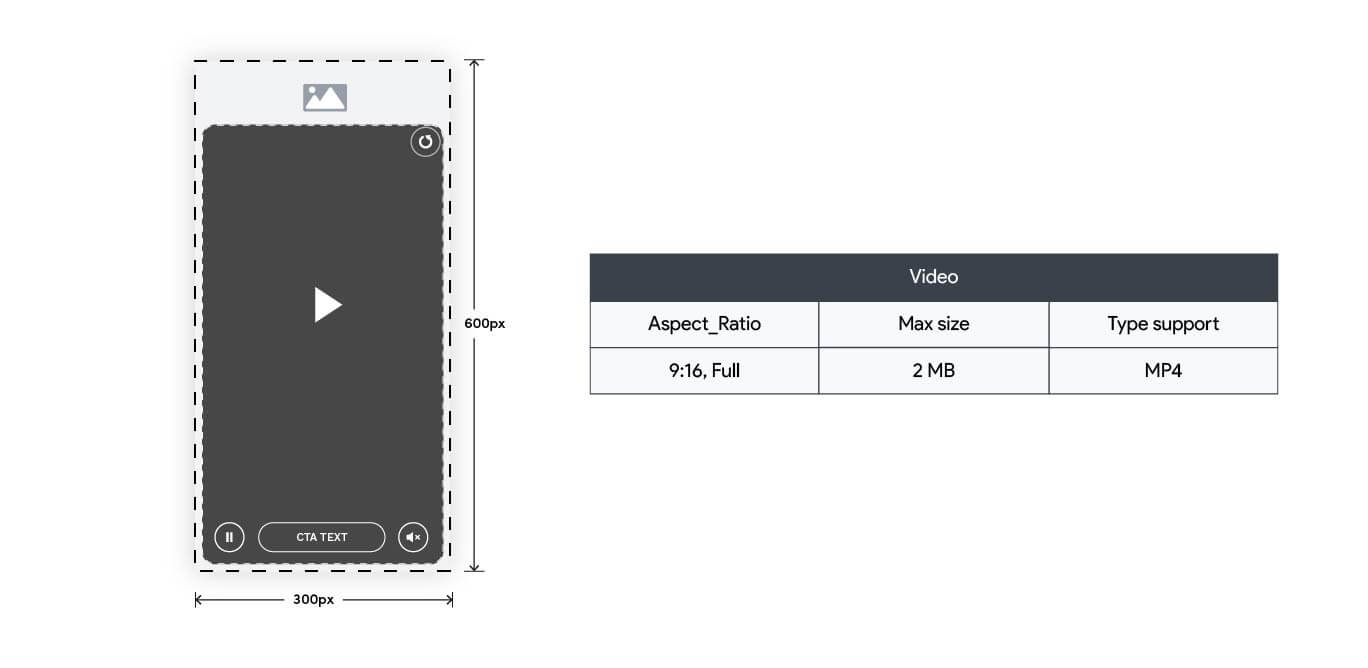
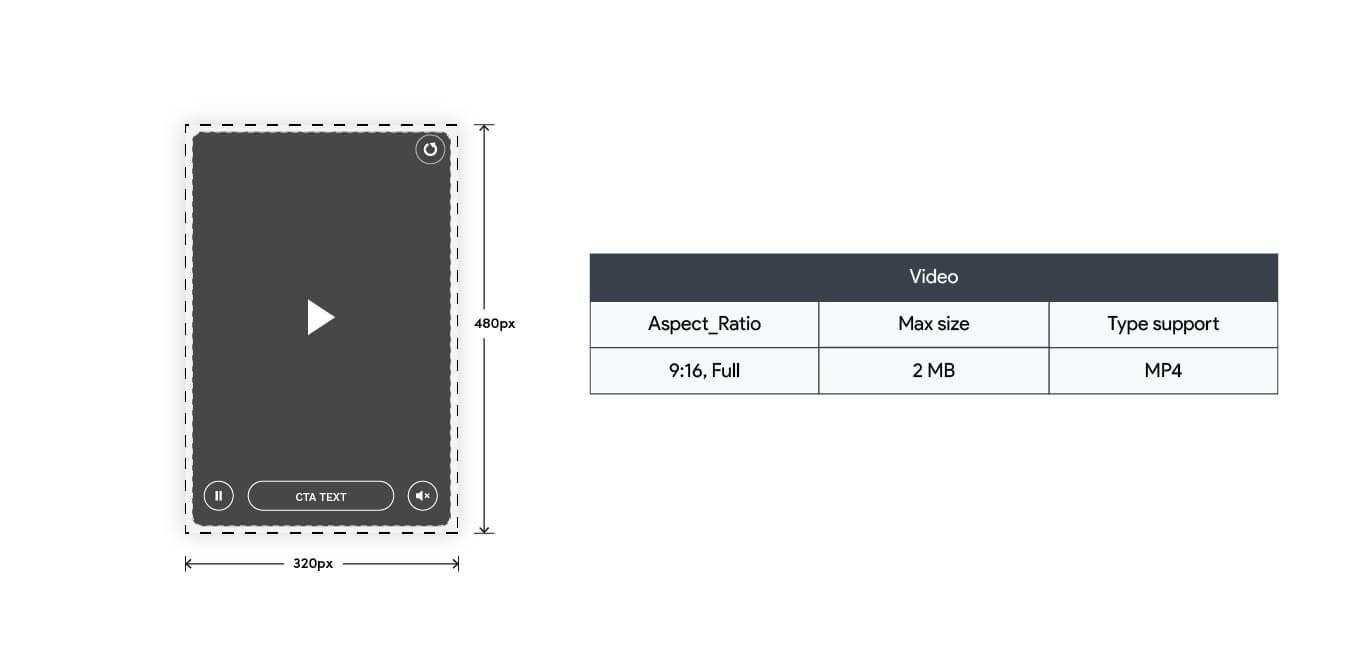
Assets: Video (300x600, 320x480, 9:16) Images, Text, Logo
Format Type: In-banner Video



TallPlay is a high-impact, Rich Media video ad format that uses vertical storytelling to dominate the screen on both mobile and desktop. It turns standard vertical video into a bold, high-impact advertising experience.
TallPlay supports two primary dimensions: 300x600 and 320x480. The video asset should ideally be supplied in a 9:16 vertical aspect ratio.
TallPlay is built specifically for the Google Marketing Platform (GMP) ecosystem and is compatible with Studio and Campaign Manager 360 (CM360).
TallPlay is designed to run across both Mobile Web and Desktop environments.
TallPlay is best suited for campaigns focused on achieving high Awareness and driving Consideration.
The essential assets needed to build the ad include:
The format offers multiple control options:
TallPlay is served as an HTML5 Rich Media creative. It is built using Studio and trafficked through CM360, which is the standard approach for Rich Media units on the Google Marketing Platform.
The video can be set to autoplay. However, following standard GMP and industry rules, autoplay video must be muted by default. Audio can only be enabled through user interaction.
Yes. The total file size typically follows Google Marketing Platform guidelines, allowing a maximum of approximately 5MB for total ad load. We recommend a maximum video size of 1MB. We can assist with video compression and optimization as part of our services.
TallPlay enables detailed tracking through Studio Exit Events and custom counters. This supports metrics such as video completion rates, time spent interacting, and multiple click exits (for example, “SHOP THE STORY” vs. “ENTER SOLANCE”). For a full tracking metrics guide, please contact us.
The format supports standard click-through tracking using Exit Events. These can be configured to pass dynamic variables to landing page URLs, enabling personalization and detailed attribution within the GMP ecosystem.
Yes. TallPlay is built in Studio, which provides the foundation for Dynamic Creative Optimization (DCO). This allows creative elements such as text, logos, and CTAs to be dynamically customized based on real-time factors like user location or audience data.
Yes. Campaign Manager 360 (CM360) requires a separate backup image to be uploaded for situations where the user’s browser or environment cannot render the HTML5 Rich Media creative.